If your WordPress site feels slow, insecure, or difficult to manage, managed WordPress hosting might be the upgrade you didn’t know you needed. From automatic updates to expert-level performance optimization, this hosting model removes technical headaches so you can focus on growing your website.
In this in-depth guide, we’ll break down exactly what managed WordPress hosting is, how it works, who it’s best for, and how to choose the right provider—using real-world experience and best practices that actually improve site performance and SEO.
What Is Managed WordPress Hosting?
Managed WordPress hosting is a specialized hosting solution built exclusively for WordPress websites. Unlike shared or generic VPS hosting, everything—from servers to support—is optimized specifically for WordPress performance, security, and scalability.
Key Difference from Regular Hosting
| Feature | Shared Hosting | Managed WordPress Hosting |
|---|---|---|
| WordPress optimization | ❌ Minimal | ✅ Advanced |
| Automatic updates | ❌ Manual | ✅ Fully managed |
| Security | ❌ Basic | ✅ Enterprise-level |
| Support expertise | ❌ General | ✅ WordPress experts |
| Performance tuning | ❌ Limited | ✅ Built-in |
In short: managed hosting trades low cost for peace of mind, speed, and reliability.
How Managed WordPress Hosting Works
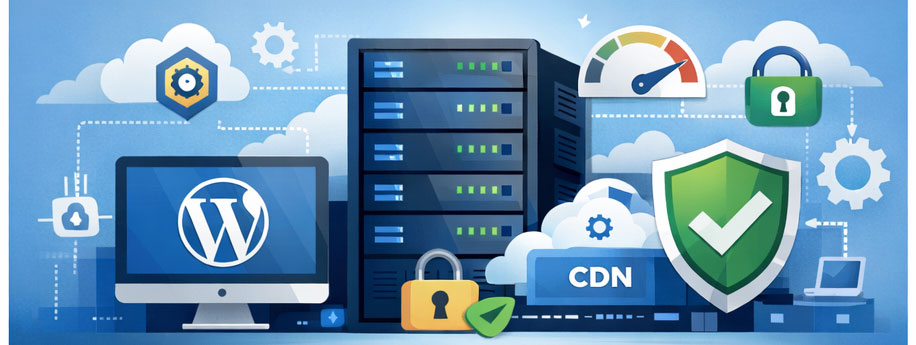
Managed hosting providers take responsibility for the technical side of running WordPress, including:
-
Server configuration optimized for WordPress
-
Automatic WordPress core updates
-
Plugin and theme compatibility checks
-
Advanced caching and CDN integration
-
Proactive security monitoring
-
Daily backups with one-click restore
This means fewer crashes, faster load times, and fewer security incidents.
Benefits of Managed WordPress Hosting
1. Faster Website Speed (SEO Advantage)
Speed is a confirmed Google ranking factor. Managed WordPress hosting includes:
-
Server-level caching
-
PHP memory optimization
-
Object caching (Redis/Memcached)
-
Global CDN integration
Result: Lower bounce rates, better Core Web Vitals, and higher rankings.
2. Advanced WordPress Security
Managed WordPress hosting providers implement multiple security layers:
-
Malware scanning and removal
-
Web application firewalls (WAF)
-
DDoS protection
-
Isolated accounts
-
Automatic security patches
This dramatically reduces hacking risks compared to shared hosting.
3. Automatic Updates and Maintenance
Forget manual updates that break your site. Managed WordPress hosting includes:
-
Tested WordPress core updates
-
Safe plugin update workflows
-
Staging environments for testing
-
Rollback options if something goes wrong
This protects site stability and uptime.
4. Expert WordPress Support
Instead of generic hosting agents, you get WordPress specialists who understand:
-
Theme conflicts
-
Plugin issues
-
Performance bottlenecks
-
Database optimization
-
WooCommerce problems
This saves hours (or days) of troubleshooting.
5. Daily Backups and Easy Restores
Most managed WordPress hosting plans include:
-
Automated daily backups
-
Off-site storage
-
One-click restore points
-
On-demand backups before major changes
This is essential for business continuity.
Managed WordPress Hosting vs Shared Hosting
Shared Hosting Drawbacks
-
Resource sharing causes slowdowns
-
Weak security isolation
-
Manual maintenance
-
Limited scalability
-
Poor support quality
Managed Hosting Advantage
Managed WordPress hosting solves all of the above with optimized infrastructure and proactive management.
Who Should Use Managed WordPress Hosting?
Managed WordPress hosting is ideal for:
-
Business websites
-
Bloggers with growing traffic
-
Affiliate marketers
-
WooCommerce stores
-
Agencies managing multiple sites
-
SEO-focused publishers
-
Non-technical site owners
If your site generates revenue or leads, this hosting model is worth the investment.
When Managed WordPress Hosting Is NOT Necessary
You may not need managed WordPress hosting if:
-
You run a small hobby site
-
You’re just learning WordPress
-
Your traffic is extremely low
-
Budget is the top priority
In those cases, shared hosting may be sufficient temporarily.
Key Features to Look for in Managed WordPress Hosting
1. Performance Optimization
Look for:
-
Built-in caching
-
CDN integration
-
SSD or NVMe storage
-
Latest PHP versions
2. Security Stack
Must-have security features:
-
Free SSL certificates
-
Malware scanning
-
Firewall protection
-
Account isolation
-
Automatic patching
3. Backup System
Ensure the plan includes:
-
Daily automated backups
-
Easy restore options
-
Off-site backup storage
4. Staging Environment
A staging site allows you to test updates before pushing them live—essential for serious websites.
5. Scalability
Traffic spikes shouldn’t crash your site. Managed WordPress hosting should support:
-
Automatic scaling
-
Traffic surge handling
-
Flexible plan upgrades
Managed WordPress Hosting for SEO
From an SEO perspective, managed WordPress hosting provides multiple advantages:
-
Faster load speed → better rankings
-
Higher uptime → improved crawlability
-
Strong security → trust signals
-
Stable environment → fewer indexing issues
Search engines reward technically optimized websites, and hosting plays a major role.
Managed WordPress Hosting for WooCommerce
WooCommerce stores demand more resources than blogs.
Benefits include:
-
Optimized database handling
-
Faster checkout performance
-
Secure payment handling
-
PCI-aware infrastructure
-
Reduced cart abandonment
For online stores, managed WordPress hosting is almost mandatory.
Common Myths About Managed WordPress Hosting
“It’s Too Expensive”
While more expensive than shared hosting, the cost often replaces:
-
Paid security plugins
-
Backup services
-
Performance tools
-
Developer maintenance
Net cost is often lower overall.
“I Lose Control”
You still control:
-
Content
-
Themes
-
Plugins
-
Admin access
Only server-level tasks are managed for you.
“It’s Only for Big Sites”
Many entry-level managed WordPress hosting plans are designed for beginners and small businesses.
How Much Does Managed WordPress Hosting Cost?
Typical pricing ranges:
-
Entry level: $20–30/month
-
Professional sites: $30–60/month
-
High traffic/business: $100+/month
Cost depends on traffic, storage, and features.
How to Choose the Right Managed WordPress Hosting Provider
Step 1: Define Your Needs
Ask yourself:
-
How much traffic do I expect?
-
Do I run WooCommerce?
-
Do I need staging?
-
How important is support?
Step 2: Compare Core Features
Compare:
-
Performance tech
-
Security layers
-
Backup frequency
-
Support availability
-
Scalability options
Step 3: Check Real Reviews
Look for reviews from:
-
WordPress developers
-
SEO professionals
-
Business owners
Avoid relying solely on affiliate reviews.
Managed WordPress Hosting Migration Tips
Most providers offer free migration, but best practices include:
-
Backup your site before migration
-
Update plugins/themes
-
Test on staging first
-
Monitor DNS propagation
-
Check site speed after migration
Is Managed WordPress Hosting Worth It?
If your website matters to your business, brand, or income—yes.
Managed WordPress hosting provides:
-
Better performance
-
Stronger security
-
Less downtime
-
Expert support
-
SEO advantages
-
Peace of mind
For serious WordPress users, it’s an investment, not an expense.
Managed WordPress hosting is one of the smartest upgrades you can make for a WordPress website. It eliminates technical burdens while delivering faster performance, stronger security, and a better user experience—factors that directly impact SEO, revenue, and growth.
If you want a stable, scalable, and future-proof WordPress site, managed hosting isn’t optional anymore—it’s the standard.
Internal Links (suggested)
- Personal Finance Advisor Near Me: How to Find the Right Expert to Secure Your Financial Future
- Personal Finance Credit Repair Services: How to Fix Your Credit and Regain Financial Freedom
- Personal Finance for High Income Earners: Smart Strategies to Build, Protect, and Multiply Wealth