If you’re planning to build a website, blog, or online business, understanding domain name and web hosting is the very first step—and the most important one. Many beginners feel confused by these terms, even though they’re the foundation of every website on the internet.
In this complete guide, you’ll learn what a domain name and web hosting really are, how they work together, how to choose the best options, and how to avoid costly beginner mistakes. Whether you’re launching your first site or upgrading an existing one, this guide gives you clear, practical answers backed by real experience.
What Is a Domain Name?
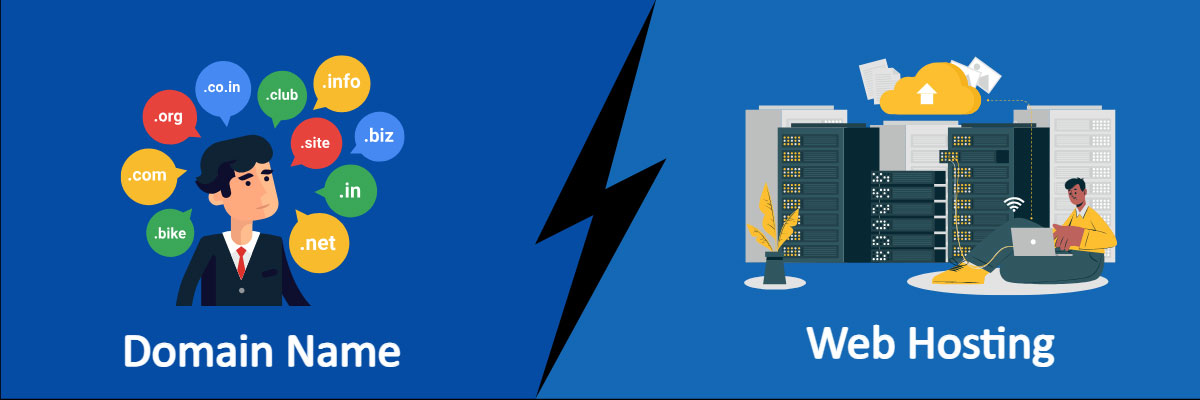
A domain name is the unique address people type into their browser to visit your website.
Examples include:
-
google.com -
loadingtips.com -
yourbusiness.net
Instead of remembering complex IP addresses like 192.168.1.1, domain names make the internet human-friendly.
How Domain Names Work
Behind the scenes, domain names are connected to IP addresses through the Domain Name System (DNS). When someone types your domain into a browser:
-
The browser checks DNS servers
-
DNS translates the domain name into an IP address
-
The browser connects to the hosting server
-
Your website loads
This entire process happens in milliseconds.
What Is Web Hosting?
Web hosting is the service that stores your website’s files—images, text, databases, videos—and delivers them to visitors when they access your domain.
Without hosting:
-
Your domain name has nowhere to point
-
Your website cannot appear online
Think of it like this:
-
Domain name = your website’s address
-
Web hosting = your website’s house
You need both to run a website.
Domain Name and Web Hosting: How They Work Together
Understanding how domain name and web hosting connect helps you manage your website with confidence.
Here’s the relationship:
-
You buy a domain name from a registrar
-
You buy web hosting from a hosting provider
-
You point the domain’s DNS to the hosting server
-
Your website becomes accessible worldwide
They can be purchased:
-
From the same provider (simpler for beginners)
-
From different providers (more flexibility and control)
Both options work equally well when configured correctly.
Types of Domain Names Explained
1. Top-Level Domains (TLDs)
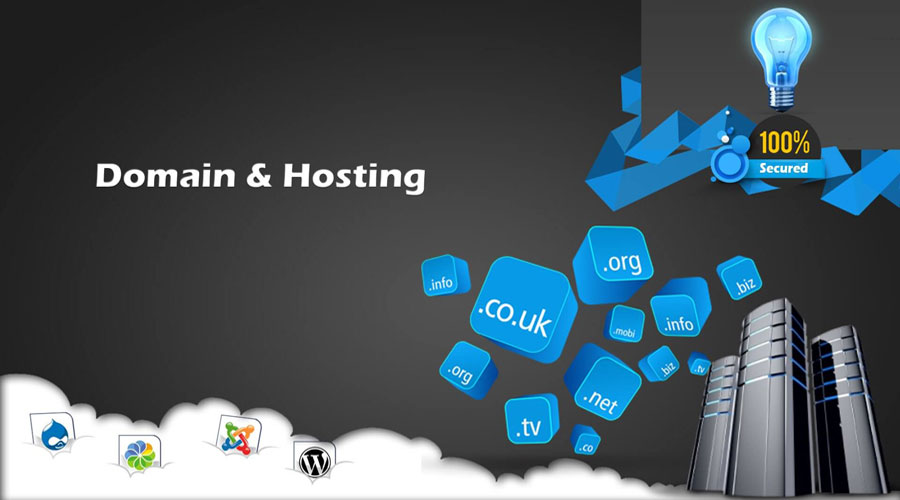
These are extensions at the end of a domain:
-
.com(most trusted and universal) -
.net -
.org -
.info
For most websites, .com is still the best choice.
2. Country-Code TLDs (ccTLDs)
Examples:
-
.us -
.uk -
.kh
Best for local businesses or country-specific audiences.
3. New Domain Extensions
Examples:
-
.tech -
.blog -
.store
These can work well for branding but may feel less trustworthy to some users.
Types of Web Hosting You Should Know
Choosing the right hosting type affects speed, security, and scalability.
Shared Hosting
-
Cheapest option
-
Multiple websites share one server
-
Best for beginners and small blogs
Pros: Affordable, easy
Cons: Limited performance during traffic spikes
VPS Hosting (Virtual Private Server)
-
Dedicated resources on a shared server
-
Better speed and control
Pros: More stable than shared hosting
Cons: Requires basic technical knowledge
Cloud Hosting
-
Uses multiple servers
-
Automatically scales with traffic
Pros: High uptime, flexible
Cons: Slightly higher cost
Dedicated Hosting
-
One entire server for your site
-
Maximum performance and security
Pros: Powerful and customizable
Cons: Expensive and technical
Managed WordPress Hosting
-
Hosting optimized specifically for WordPress
-
Automatic updates, security, caching
Pros: Fast and hassle-free
Cons: More expensive than shared hosting
How to Choose the Right Domain Name
A good domain name boosts trust, branding, and SEO.
Best Practices:
-
Keep it short and memorable
-
Avoid numbers and hyphens
-
Make it easy to spell
-
Match your brand or niche
-
Choose
.comwhen possible
SEO Tip
Keywords in domain names are not a ranking factor, but clarity and branding improve click-through rates.
How to Choose the Right Web Hosting
Your hosting choice directly affects:
-
Website speed
-
Uptime
-
Security
-
SEO rankings
Key Factors to Evaluate
1. Performance & Speed
Fast hosting improves user experience and search rankings.
2. Uptime Guarantee
Look for 99.9% uptime or higher.
3. Security Features
-
Free SSL
-
Malware scanning
-
Firewall protection
-
Regular backups
4. Customer Support
24/7 live chat or ticket support is essential.
5. Scalability
Your hosting should grow with your traffic.
Buying Domain Name and Web Hosting Together vs Separately
Buying Together
Pros
-
Easier setup
-
One dashboard
-
Faster DNS configuration
Cons
-
Less flexibility to switch providers
Buying Separately
Pros
-
More control
-
Easier to change hosting later
Cons
-
Requires manual DNS setup
For beginners, buying domain name and web hosting together is often the best choice.
Step-by-Step: How to Set Up Domain Name and Web Hosting
-
Choose a hosting provider
-
Register your domain name
-
Connect domain to hosting (DNS)
-
Install WordPress or website builder
-
Upload your content
-
Enable SSL certificate
-
Launch your website
Most hosting providers simplify this into a one-click process.
Common Domain Name and Web Hosting Mistakes to Avoid
-
Choosing the cheapest hosting without checking performance
-
Forgetting to renew domain names
-
Not enabling SSL certificates
-
Using weak passwords
-
Ignoring backups
-
Buying unnecessary add-ons
Avoiding these mistakes saves money and prevents downtime.
Domain Name and Web Hosting for SEO
Search engines care about:
-
Site speed
-
Uptime
-
Security
-
User experience
Quality web hosting improves:
-
Page load times
-
Core Web Vitals
-
Crawl efficiency
A stable domain name builds long-term trust and brand authority.
Security Best Practices for Domain and Hosting
-
Enable two-factor authentication
-
Use strong passwords
-
Keep CMS and plugins updated
-
Use SSL certificates
-
Schedule automated backups
Security is part of trust—both for users and search engines.
Cost Breakdown: Domain Name and Web Hosting
Domain Name
-
$8–15 per year (average)
Shared Hosting
-
$2–5 per month
Managed Hosting
-
$10–30 per month
VPS / Cloud
-
$20–80 per month
Invest based on your website goals—not just price.
Is Free Domain and Hosting a Good Idea?
Free options sound tempting but come with drawbacks:
-
Limited control
-
Forced ads
-
Weak performance
-
Poor SEO potential
For serious projects, investing in paid domain name and web hosting is always worth it.
Who Needs Professional Domain and Hosting Setup?
You should invest properly if you:
-
Run a business website
-
Build an authority blog
-
Sell products or services
-
Want to rank on Google
-
Care about long-term growth
Cheap shortcuts often cost more later.
Internal linking
- Best Web Hosting for WordPress in 2026: Fast, Secure, and Beginner-Friendly Picks That Actually Work
- Dedicated Server Managed Hosting: The Powerful, Stress-Free Way to Run High-Performance Websites
- Buy Email Domain: The Smart Way to Build Trust, Security, and a Professional Brand
Understanding domain name and web hosting removes confusion and gives you control over your online presence. These two elements work together to power your website’s speed, security, branding, and SEO success.
Choose wisely, invest strategically, and think long-term. A strong foundation today makes scaling tomorrow much easier.
If you’re serious about building a website that performs well, ranks on Google, and earns trust—getting your domain and hosting right is non-negotiable.