Managing thousands of images, videos, documents, and brand files without structure leads to chaos. A digital asset management platform helps businesses centralize, organize, and distribute digital content efficiently. In 2026, where content drives marketing, branding, and operations, investing in the right system is no longer optional — it’s strategic.
This complete guide explains how digital asset management works, what features matter most, and how to choose the right platform for long-term growth.
What Is a Digital Asset Management Platform?
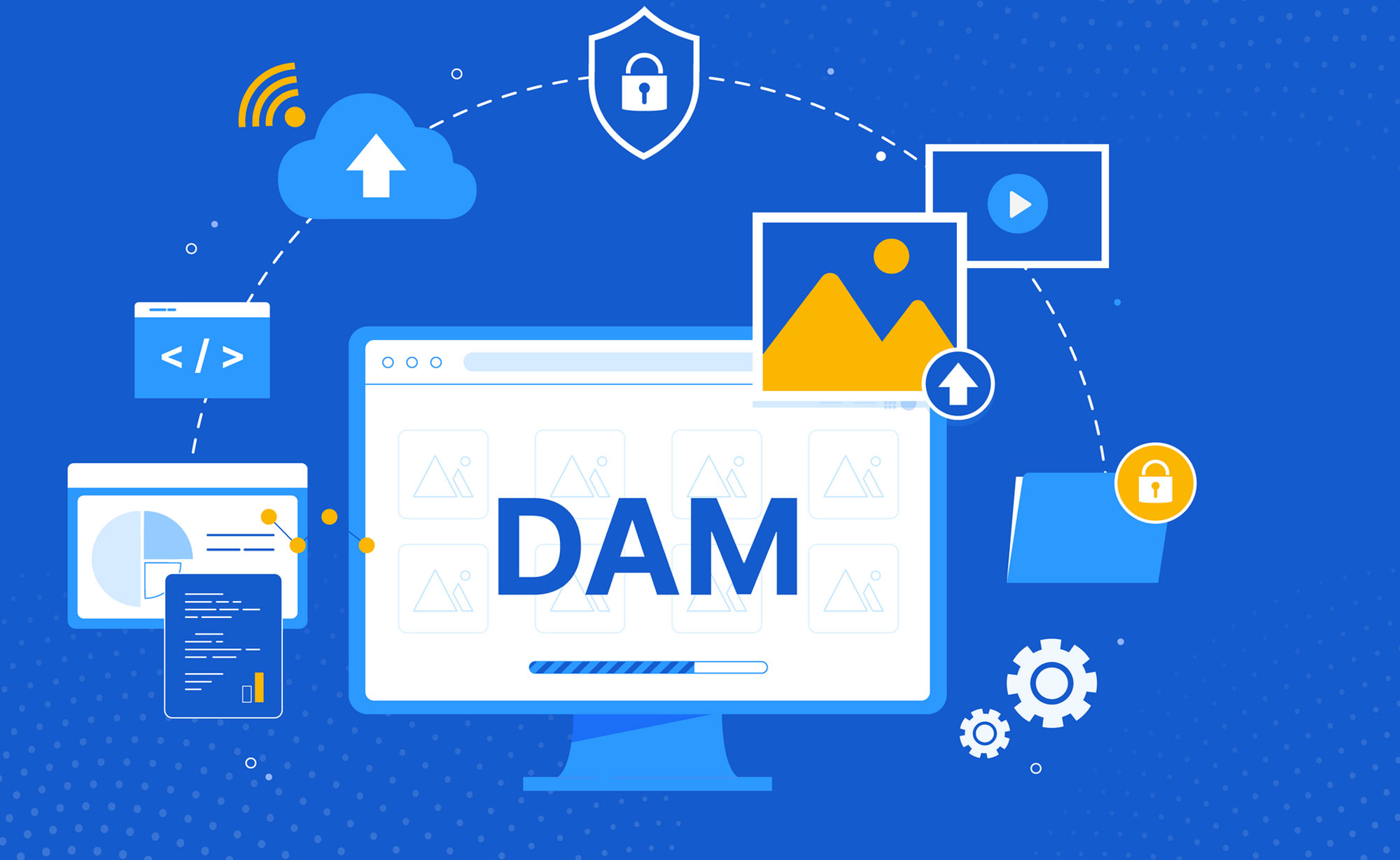
A digital asset management platform (DAM platform) is a centralized software system designed to store, organize, manage, and distribute digital files such as:
-
Images
-
Videos
-
Audio files
-
Design files
-
Brand documents
-
Marketing materials
-
Presentations
-
Contracts
Unlike basic cloud storage, a DAM platform adds structured metadata, version control, advanced search, permission management, and workflow automation.
It transforms scattered files into an organized, searchable digital library.
Why Businesses Need a Digital Asset Management Platform in 2026
Content volume is growing exponentially. Marketing teams, eCommerce stores, media agencies, and enterprises handle thousands of assets monthly.
Without structured management, businesses face:
-
Duplicate files
-
Outdated brand assets
-
Lost content
-
Inefficient collaboration
-
Compliance risks
A digital asset management platform solves these problems by providing:
-
Centralized control
-
Secure access
-
Real-time collaboration
-
Advanced content tracking
In a competitive digital economy, speed and organization equal revenue.
Key Features to Look for in a Digital Asset Management Platform
Not all DAM solutions are equal. Choosing the right one requires understanding core capabilities.
1. Centralized Cloud Storage
Cloud-based DAM systems provide:
-
Remote access
-
Automatic backups
-
Secure hosting
-
Scalability
This ensures teams can access files anytime, anywhere.
2. Advanced Metadata & Tagging
Metadata allows files to be categorized using:
-
Keywords
-
Campaign names
-
Product IDs
-
Dates
-
Usage rights
Smart tagging dramatically improves search efficiency.
3. AI-Powered Search
Modern platforms use artificial intelligence to:
-
Recognize images
-
Detect text inside files
-
Suggest automatic tags
-
Predict related assets
AI search saves hours of manual work.
4. Version Control
Version tracking ensures:
-
Teams use the latest file
-
Old versions remain archived
-
Mistakes can be rolled back
This prevents brand inconsistency.
5. Access Control & Permissions
Enterprise-grade security includes:
-
Role-based access
-
Approval workflows
-
File expiration controls
-
Audit trails
Security builds trust and protects intellectual property.
6. Integration Capabilities
Your DAM system should integrate with:
-
CMS platforms
-
eCommerce systems
-
Marketing automation tools
-
CRM software
-
Creative tools like Adobe
Seamless integration boosts productivity.
Benefits of Using a Digital Asset Management Platform
Implementing the right solution delivers measurable results.
Increased Productivity
Teams spend less time searching and more time creating.
Brand Consistency
Centralized assets ensure uniform branding across channels.
Faster Campaign Execution
Marketing teams can launch campaigns without delays.
Reduced Storage Costs
Eliminating duplicate files reduces unnecessary storage.
Improved Security & Compliance
Track file usage and manage licensing rights easily.
Who Needs a Digital Asset Management Platform?
Marketing Teams
Manage campaign visuals, brand guidelines, and promotional materials.
eCommerce Businesses
Organize product photos, videos, and advertising creatives.
Media & Creative Agencies
Store client assets and manage revisions efficiently.
Enterprises
Control global brand assets across departments.
Educational Institutions
Manage learning materials, presentations, and digital media.
If your organization handles large volumes of digital content, a DAM system becomes essential.
How a Digital Asset Management Platform Supports SEO
Content organization directly impacts search engine performance.
Here’s how:
Optimized Media Metadata
Proper tagging improves:
-
Image search visibility
-
Content indexing
-
Structured data usage
Faster Website Performance
DAM systems optimize media formats, reducing load times — a major ranking factor.
Improved Content Reusability
Reusing high-performing visuals improves campaign ROI.
For websites like LoadingTips.com, structured asset management strengthens topical authority and content consistency.
How to Choose the Right Digital Asset Management Platform
Choosing wisely requires a structured approach.
Step 1: Define Your Content Volume
Ask:
-
How many assets do we manage monthly?
-
What file formats do we use?
-
How fast are we growing?
Step 2: Identify Workflow Needs
Consider:
-
Approval processes
-
Collaboration tools
-
Editing integrations
Step 3: Evaluate Security Standards
Look for:
-
Data encryption
-
Compliance certifications
-
Access monitoring
Step 4: Consider Scalability
Your system should support:
-
Growing teams
-
Increasing storage
-
International operations
Step 5: Review Vendor Expertise
E-E-A-T matters. Choose vendors with:
-
Proven industry experience
-
Transparent case studies
-
Responsive customer support
A trusted provider reduces risk and increases ROI.
Cloud-Based vs On-Premise DAM Systems
Cloud-Based DAM
Advantages:
-
Lower upfront cost
-
Automatic updates
-
Easy remote access
Best for startups and growing businesses.
On-Premise DAM
Advantages:
-
Full internal control
-
Custom security policies
-
Greater infrastructure ownership
Preferred by large enterprises with strict compliance requirements.
Most modern businesses choose cloud-based systems due to flexibility and scalability.
Implementation Best Practices
Successful deployment requires planning.
1. Audit Existing Assets
Clean duplicates and outdated files before migration.
2. Standardize Naming Conventions
Consistent file names improve search accuracy.
3. Define Metadata Structure
Create tagging categories aligned with business needs.
4. Train Your Team
Adoption determines success. Provide workshops and documentation.
5. Monitor Performance Metrics
Track:
-
Search time reduction
-
Asset reuse rate
-
Storage cost savings
Optimization is ongoing.
Common Mistakes to Avoid
Avoid these costly errors:
-
Choosing a system without integration
-
Ignoring security compliance
-
Overcomplicating metadata structure
-
Failing to onboard teams properly
Technology alone does not guarantee efficiency — strategy matters.
ROI of a Digital Asset Management Platform
Many businesses question the investment.
Here’s how ROI is generated:
-
Reduced content production duplication
-
Faster time-to-market
-
Improved team collaboration
-
Lower legal risk from misuse of assets
-
Increased marketing efficiency
Studies show organizations reduce content search time by up to 50% after DAM implementation.
Emerging Trends in Digital Asset Management
Technology evolves rapidly. Stay ahead with these trends:
AI-Driven Content Automation
AI assists with tagging, classification, and predictive content delivery.
Blockchain for Asset Ownership
Track intellectual property rights securely.
API-First Architecture
Integrate DAM seamlessly with business ecosystems.
Video Content Optimization
With video dominating digital marketing, DAM platforms now include automated transcoding and streaming capabilities.
Security & Compliance Considerations
Protecting digital assets is critical.
Ensure your platform provides:
-
Multi-factor authentication
-
Secure cloud infrastructure
-
GDPR and data privacy compliance
-
Detailed audit logs
Data breaches damage trust and reputation. Choose wisely.
Digital Asset Management Platform vs Cloud Storage
Basic cloud storage (e.g., generic file-sharing tools) lacks:
-
Advanced tagging
-
Version history
-
Automated workflows
-
Rights management
A digital asset management platform adds structured intelligence and business-level control.
Frequently Asked Questions
What is the difference between DAM and CMS?
A DAM stores and organizes digital files, while a CMS publishes website content. They often integrate.
Is a DAM platform suitable for small businesses?
Yes. Cloud-based solutions offer affordable pricing models.
How long does implementation take?
Small teams may implement within weeks. Enterprises may require months.
Can DAM platforms improve marketing ROI?
Yes. Faster access to high-quality content improves campaign execution and performance.
As Our experince Choosing the right digital asset management platform is not just about file storage — it’s about building an organized, scalable, and secure digital ecosystem.
In a content-driven economy, businesses that manage assets intelligently gain:
-
Faster operations
-
Stronger brand consistency
-
Improved collaboration
-
Greater competitive advantage
At LoadingTips.com, we focus on delivering expert-driven insights to help businesses make smarter technology investments. Evaluate your needs carefully, compare vendors thoroughly, and implement a system that supports long-term digital growth.
The companies that master digital organization today will dominate tomorrow’s digital marketplace.
Internal Links
- The Ultimate Guide to HR Management Software: Features, Benefits & How to Choose the Best Solution
- Inventory Management Software: The Ultimate 2026 Guide to Smarter Stock Control & Business Growth
- SEO Marketing Agency: The Ultimate Guide to Choosing the Right Partner for Explosive Online Growth